Add-ons, each its own key

Overclock. Network.

Two jobs the tune deliberately leaves alone, done properly for your exact PC. Each is its own purchase and its own key, runs from the same one line, and fetches its newest version every time. Neither one touches a game, its anti-cheat or Windows Security.

OmniDx Overclock โ€” $20.00 once

An overclock plan for your exact PC: it reads the processor, the board and its BIOS, every memory stick and the graphics card, shows you the risks first, then writes the plan.

Memory first

The profile your kit was sold for (XMP or EXPO), with your board's own menu path; the sweet spot for your platform (DDR5-6000 1:1 on AM5, 200S Boost on Core Ultra), the voltage never to pass, and the memory test that proves it.

The processor, undervolt first

Curve Optimizer starting points for your Ryzen (X3D and its two halves included), Intel's microcode checked on 13th and 14th gen before anything else, and what is safe on yours. Tested idle as well as under load.

The graphics card in MSI Afterburner

Offsets to start from for your card's family (RTX 50, 40, 30, Radeon RX 9000, 7000, 6000, Arc), the undervolt curve, the fan curve, the on-screen display, and when to stop: the best score, not the highest number. On 80- and 90-class cards the 16-pin power plug is checked first and the power limit is never raised.

Temperatures, the way back, your progress

The limits for your exact parts, a live watch of the graphics card while you test, and the way back from every single step. The plan ticks off each step as you go and remembers where you got to. MSI Afterburner, RTSS and HWiNFO installed from their makers if you want them.
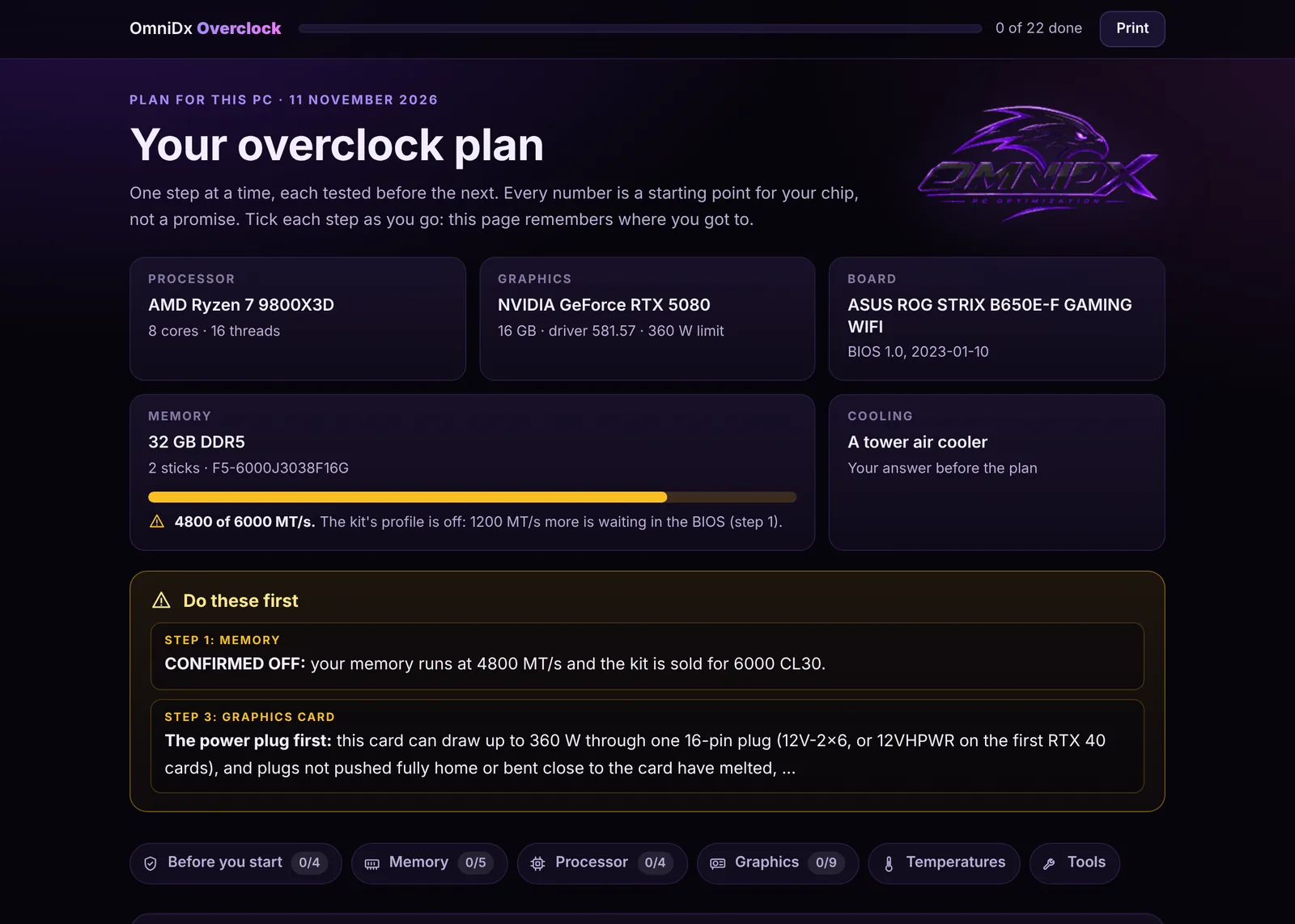
A sample OmniDx Overclock plan: the PC as tiles (processor, graphics card, board, memory with a meter showing it runs at 4800 of the kit's 6000 MT/s, cooling), a Do these first box with the memory profile and the graphics card's power plug, and the step bar: Before you start, Memory, Processor, Graphics, Temperatures, Tools.

A sample plan, drawn by OmniDx Overclock itself for an example PC (Ryzen 7 9800X3D, RTX 5080). Yours is made for your own parts, and every step has a tick box, its test and its way back.

The risks, said plainly

Overclocking runs parts beyond the settings they ship with. Expect crashes while you test (back up first: an unstable memory setting can corrupt files); more heat, power and noise; AMD and Intel do not cover an overclocked processor under warranty (Intel's 200S Boost profile is the exception it names). The plan never raises a voltage beyond what a profile or the maker allows, and it asks you to type I UNDERSTAND before it starts. Nothing is changed by OmniDx itself: every setting is one you make, in the BIOS or the card's own tool.

$env:OMNIDX_MODE='overclock'; irm omnidx.net/go.ps1 | iex
OmniDx Network โ€” $10.00 once

Your connection measured the way that matters for games, then set up: the card on this PC, the router by its own settings, and what to buy only if something is holding you back.

Measured, and graded

Delay, jitter and lost packets to the router and to the internet, then the lag that builds while the line is busy downloading and uploading: bufferbloat, graded A+ to F. The usual reason ping spikes when someone else streams.

Your router and your line, by name

It recognises the router (ASUS, NETGEAR, TP-Link, eero, UniFi, OpenWrt, the internet company's own box and more) and gives its exact smart-queue setting at 90% of your measured speed. Two routers in a row are found and fixed too, and Starlink, 5G home internet and shared-address (CGNAT) lines get the advice that fits them.

Your network card, for games

Power saving that drops the link off, the largest buffers the driver allows, the 5 / 6 GHz band preferred on Wi-Fi, and the known fixes for Intel I225-V and I226-V, Killer and Realtek chips. IPv6 back on where a "tweak" switched it off. Each written down; one line puts them back.

What to buy, only if it helps

A cable (Cat6, pure copper), a 2.5 GbE card, a better Wi-Fi card, MoCA where there is TV coax: named only when the measurement says it is your bottleneck. And what is not worth it: Cat8, DNS "for ping", Windows TCP tweaks.

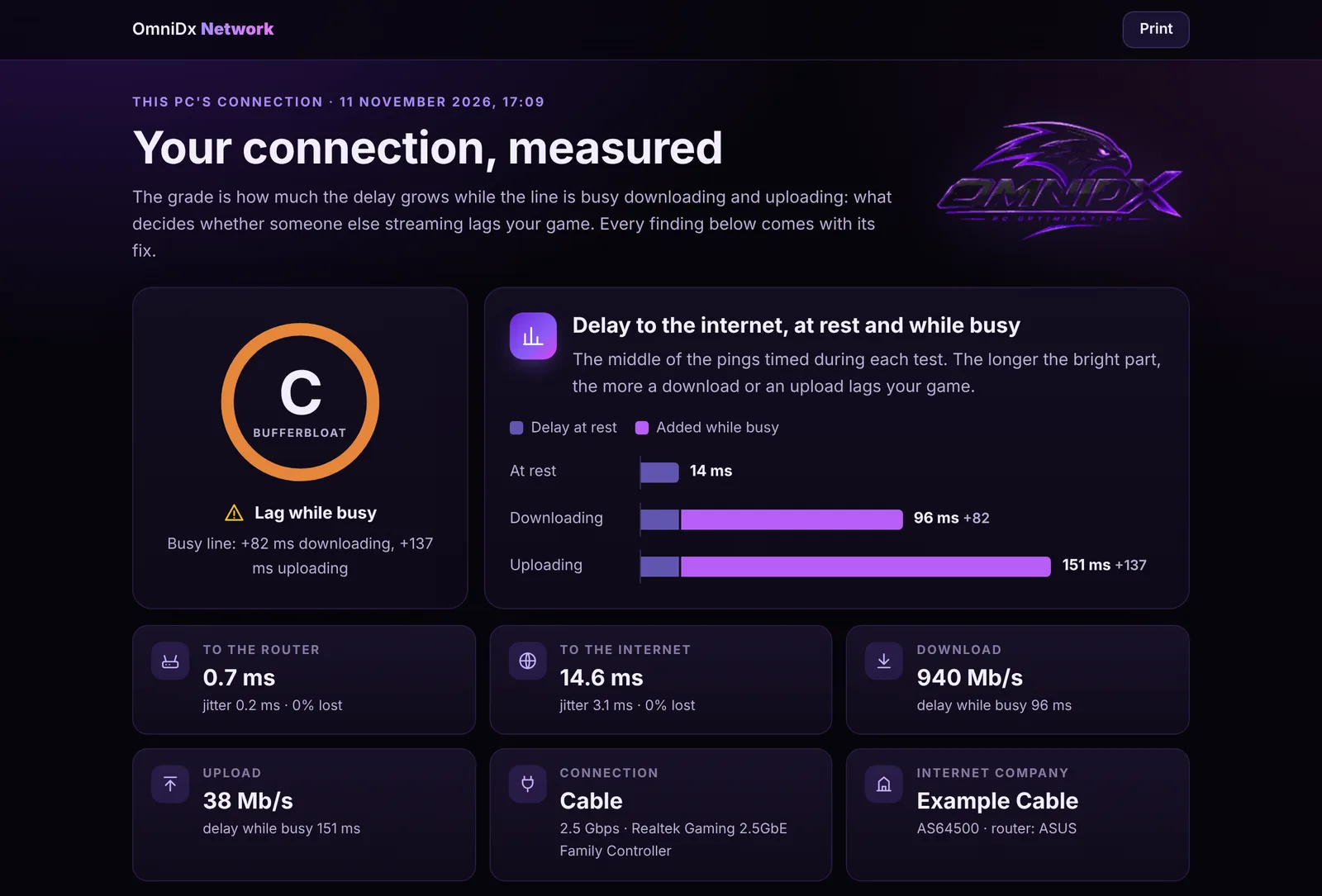
A sample OmniDx Network report: bufferbloat grade C in a ring, a bar chart of the delay to the internet at rest (14 ms), downloading (96 ms) and uploading (151 ms), and tiles for the router, the internet, download and upload speed, the connection and the internet company.

A sample report, drawn by OmniDx Network itself for an example connection (the internet company's name is a placeholder). Yours measures your own line, and every finding comes with its fix.

$env:OMNIDX_MODE='network'; irm omnidx.net/go.ps1 | iex

How the keys work

Its own key, one PC

Each add-on has its own key (OCLK-... or NETW-...), emailed the moment Square confirms the payment and on the key page with your order number. It locks to the first PC that runs it; running it again there is free. A Tune key does not open an add-on, and an add-on key does not open the tune.

Always the newest version

Nothing is installed: the line fetches the add-on, checks it against the hash published next to it, and runs it. Every improvement reaches you on your next run, with nothing to update.